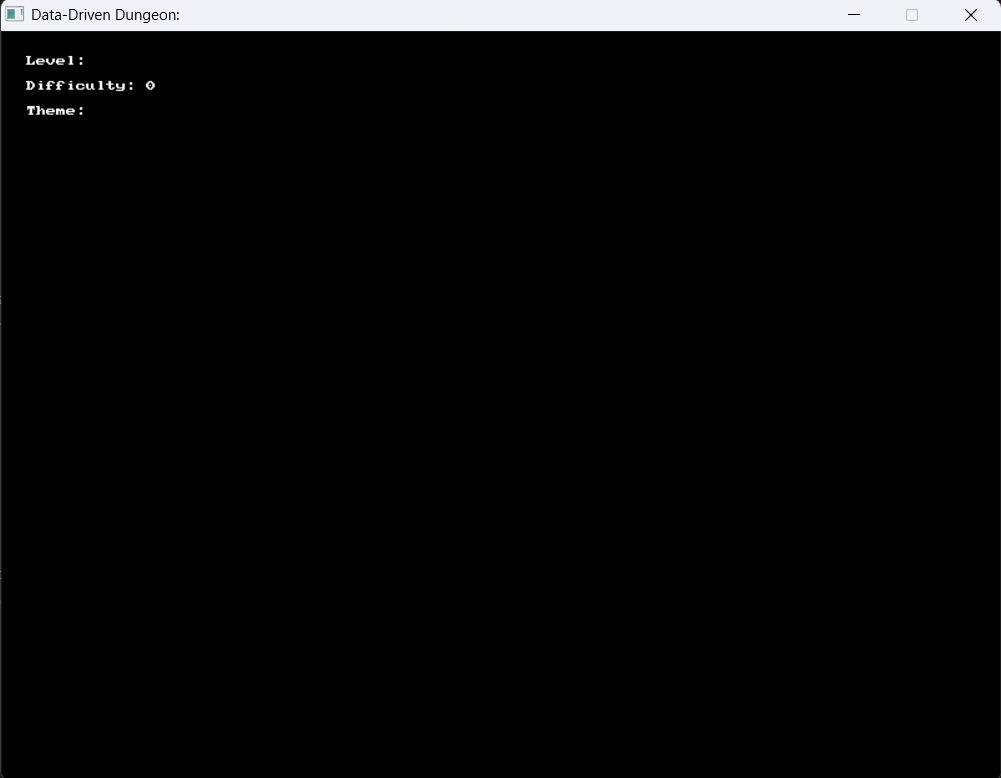
Demonstrates loading a dungeon level from a JSON file, including parsing arrays of objects for spawn points and loot items.
Return Type: Json
Returns: Returns a json object.
Signatures:
json data_driven_dungeon ()
def data_driven_dungeon () ;
Usage: {</>}
See Code Examples Example 1 : Data-Driven Dungeon Integration Example
// Load the dungeon room data from the JSON file
json level_info = json_from_file ( " level_data.json " );
// Reading top-level strings and integers
string level_name = json_read_string (level_info, " level_name " );
int difficulty = json_read_number_as_int (level_info, " difficulty " );
string theme = json_read_string (level_info, " theme " );
open_window ( " Data-Driven Dungeon: " + level_name, 800 , 600 );
while ( ! quit_requested ())
clear_screen ( color_black ());
// Display Dungeon metadata
draw_text ( " Level: " + level_name, color_white (), 20 , 20 );
draw_text ( " Difficulty: " + std:: to_string (difficulty), color_white (), 20 , 40 );
draw_text ( " Theme: " + theme, color_white (), 20 , 60 );
// Accessing the 'spawn_points' array and looping through objects
vector < json > spawn_points;
json_read_array (level_info, " spawn_points " , spawn_points);
for ( int i = 0 ; i < spawn_points . size (); i ++ )
json entry = spawn_points [i];
string entity_type = json_read_string (entry, " type " );
double x = json_read_number (entry, " x " );
double y = json_read_number (entry, " y " );
color draw_color = (entity_type == " Player " ) ? color_green () : color_red ();
fill_rectangle (draw_color, x, y, 32 , 32 );
draw_text (entity_type, color_white (), x, y - 15 );
// Create loot sprites based on the loot array in the JSON
json_read_array (level_info, " loot " , loot_list);
for ( int i = 0 ; i < loot_list . size (); i ++ )
json item = loot_list [i];
string item_name = json_read_string (item, " item " );
double x = json_read_number (item, " x " );
double y = json_read_number (item, " y " );
fill_circle ( color_gold (), x, y, 8 );
draw_text (item_name, color_gold (), x - 20 , y - 20 );
using static SplashKitSDK . SplashKit;
// Data-Driven dungeon loading logic
Json levelInfo = JsonFromFile ( " level_data.json " );
// Access strings and ints
string levelName = JsonReadString (levelInfo, " level_name " );
int difficulty = JsonReadInteger (levelInfo, " difficulty " );
string theme = JsonReadString (levelInfo, " theme " );
OpenWindow ( $" Dungeon: { levelName } " , 800 , 600 );
ClearScreen ( ColorBlack ());
DrawText ( $" Level Name: { levelName } " , ColorWhite (), 20 , 20 );
DrawText ( $" Difficulty: { difficulty } " , ColorWhite (), 20 , 40 );
DrawText ( $" Theme: { theme } " , ColorWhite (), 20 , 60 );
// Reading nested objects from an array
Json spawnPoints = JsonReadArray (levelInfo, " spawn_points " );
for ( int i = 0 ; i < JsonArraySize (spawnPoints); i ++ )
Json entry = JsonReadObjectAtIndex (spawnPoints, i);
string type = JsonReadString (entry, " type " );
double x = JsonReadNumber (entry, " x " );
double y = JsonReadNumber (entry, " y " );
Color drawColor = (type == " Player " ) ? ColorGreen () : ColorRed ();
FillRectangle (drawColor, x, y, 32 , 32 );
DrawText (type, ColorWhite (), ( float )x, ( float )y - 15 );
Json lootItems = JsonReadArray (levelInfo, " loot " );
for ( int i = 0 ; i < JsonArraySize (lootItems); i ++ )
Json item = JsonReadObjectAtIndex (lootItems, i);
string itemName = JsonReadString (item, " item " );
double x = JsonReadNumber (item, " x " );
double y = JsonReadNumber (item, " y " );
FillCircle ( ColorGold (), ( float )x, ( float )y, 8 );
DrawText (itemName, ColorGold (), ( float )x - 20 , ( float )y - 20 );
using static SplashKitSDK . SplashKit;
namespace DataDrivenDungeon
public class DungeonManager
public DungeonManager ( string fileName)
_levelData = JsonFromFile (fileName);
public string LevelName => JsonReadString (_levelData, " level_name " );
public int Difficulty => JsonReadInteger (_levelData, " difficulty " );
public string Theme => JsonReadString (_levelData, " theme " );
ClearScreen ( ColorBlack ());
DrawText ( $" Level: { LevelName } " , ColorWhite (), 20 , 20 );
DrawText ( $" Difficulty: { Difficulty } " , ColorWhite (), 20 , 40 );
DrawText ( $" Theme: { Theme } " , ColorWhite (), 20 , 60 );
// Accessing the 'spawn_points' array and looping through objects
Json spawnPoints = JsonReadArray (_levelData, " spawn_points " );
for ( int i = 0 ; i < JsonArraySize (spawnPoints); i ++ )
Json entry = JsonReadObjectAtIndex (spawnPoints, i);
string entryType = JsonReadString (entry, " type " );
double x = JsonReadNumber (entry, " x " );
double y = JsonReadNumber (entry, " y " );
Color drawColor = (entryType == " Player " ) ? ColorGreen () : ColorRed ();
FillRectangle (drawColor, x, y, 32 , 32 );
DrawText (entryType, ColorWhite (), ( float )x, ( float )y - 15 );
// Accessing the 'loot' array
Json lootPoints = JsonReadArray (_levelData, " loot " );
for ( int i = 0 ; i < JsonArraySize (lootPoints); i ++ )
Json item = JsonReadObjectAtIndex (lootPoints, i);
string lootName = JsonReadString (item, " item " );
double x = JsonReadNumber (item, " x " );
double y = JsonReadNumber (item, " y " );
FillCircle ( ColorGold (), ( float )x, ( float )y, 8 );
DrawText (lootName, ColorGold (), ( float )x - 20 , ( float )y - 20 );
public static void Main ()
DungeonManager dungeon = new DungeonManager( " level_data.json " );
OpenWindow ( $" Dungeon Navigator: { dungeon . LevelName } " , 800 , 600 );
level_info = json_from_file ( " level_data.json " )
level_name = json_read_string ( level_info , " level_name " )
difficulty = json_read_integer ( level_info , " difficulty " )
theme = json_read_string ( level_info , " theme " )
open_window ( f "Data-Driven Dungeon: {level_name} " , 800 , 600 )
while not quit_requested ():
clear_screen ( color_black ())
# Display metadata on screen
draw_text ( f "Level Name: {level_name} " , color_white () , 20 , 20 )
draw_text ( f "Difficulty Score: {difficulty} " , color_white () , 20 , 40 )
draw_text ( f "Dungeon Theme: {theme} " , color_white () , 20 , 60 )
# Access arrays and objects nested inside the JSON
spawn_points = json_read_array ( level_info , " spawn_points " )
for i in range ( json_array_size ( spawn_points )):
entry = json_read_object_at_index ( spawn_points , i )
entity_type = json_read_string ( entry , " type " )
x = json_read_number ( entry , " x " )
y = json_read_number ( entry , " y " )
draw_color = color_green () if entity_type == " Player " else color_red ()
fill_rectangle ( draw_color , x , y , 32 , 32 )
draw_text ( entity_type , color_white () , x , y - 15 )
# Iterate through loot array
loot_items = json_read_array ( level_info , " loot " )
for i in range ( json_array_size ( loot_items )):
item = json_read_object_at_index ( loot_items , i )
item_name = json_read_string ( item , " item " )
x = json_read_number ( item , " x " )
y = json_read_number ( item , " y " )
fill_circle ( color_gold () , x , y , 8 )
draw_text ( item_name , color_gold () , x - 20 , y - 20 )
refresh_screen_with_target_fps ( 60 )
# Note: free_json(level_info) is implicitly handled in splashkit-python wrapper but explicit cleanup is good practice
if __name__ == " __main__ " :
Output :
The empty Jsonjson_add_ and json_read_
Return Type: Json
Returns: Returns an empty Json
Signatures:
public static Json SplashKit . CreateJson ();
function CreateJson (): Json
Usage: {</>}
See Implementations Tutorials and Guides :
API Documentation Code Examples :
string json_string must be valid JSON. The Jsonjson_add_ and json_read_
Parameters:
Name Type Description json_string StringThe JSON formatted String to be converted to a Json
Return Type: Json
Returns: Returns a JsonString.
Signatures:
json create_json (string json_string )
public static Json SplashKit . CreateJson ( string jsonString);
public Json ( string jsonString);
def create_json_from_string ( json_string ) :
function CreateJson (jsonString: String ): Json
Releases all of the Json
Signatures:
public static void Json . FreeAll ();
public static void SplashKit . FreeAllJson ();
Usage: {</>}
See Implementations Tutorials and Guides :
API Documentation Code Examples :
Frees the SplashKit resources associated with the Json
Parameters:
Name Type Description j JsonThe Json
Signatures:
public static void SplashKit . FreeJson (Json j);
procedure FreeJson (j: Json)
Usage: {</>}
See Implementations Tutorials and Guides :
API Documentation Code Examples :
Returns the count of keys in the top-level Json
Parameters:
Name Type Description j JsonThe Json
Return Type: Integer
Returns: The count of keys in the top-level Json
Signatures:
int json_count_keys (json j )
public int Json . CountKeys ();
public static int SplashKit . JsonCountKeys (Json j);
function JsonCountKeys (j: Json): Integer
Converts a ColorJson
Parameters:
Return Type: Json
Returns: The ColorJson
Signatures:
json json_from_color (color clr )
public static Json SplashKit . JsonFromColor (Color clr);
def json_from_color ( clr ) :
function JsonFromColor (clr: Color): Json
Reads a JsonResources/json/filename and loads the data into the returned Json
Parameters:
Name Type Description filename StringThe filename of the file to be written to Resources/json/.
Return Type: Json
Returns: Returns the Jsonfilename.
Signatures:
json json_from_file ( const string & filename )
public static Json Json . FromFile ( string filename);
public static Json SplashKit . JsonFromFile ( string filename);
def json_from_file ( filename ) :
function JsonFromFile ( const filename: String ): Json
Usage: {</>}
See Implementations Tutorials and Guides :
API Documentation Code Examples :
Reads a JsonString in the JSON format.
Parameters:
Name Type Description j_string StringA String in the JSON format.
Return Type: Json
Returns: Returns a Jsonstring j_string.
Signatures:
json json_from_string ( const string & j_string )
public static Json Json . FromJsonString ( string jString);
public static Json SplashKit . JsonFromString ( string jString);
def json_from_string ( j_string ) :
function JsonFromString ( const jString: String ): Json
Usage: {</>}
See Implementations Tutorials and Guides :
API Documentation Code Examples :
Checks if the JsonString key.
Parameters:
Name Type Description j JsonThe Json key StringThe String key to be checked.
Return Type: Boolean
Returns: Returns true if the json j object contains a key for String key.
Signatures:
bool json_has_key (json j , string key )
public bool Json . HasKey ( string key);
public static bool SplashKit . JsonHasKey (Json j, string key);
def json_has_key ( j , key ) :
function JsonHasKey (j: Json; key: String ): Boolean
Usage: {</>}
See Implementations
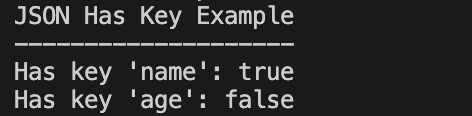
See Code Examples Example 1 : Json Has Key
json example_json = create_json ();
json_set_string (example_json, " name " , " SplashKit " );
bool has_name = json_has_key (example_json, " name " );
bool has_age = json_has_key (example_json, " age " );
write_line ( " JSON Has Key Example " );
write_line ( " -------------------- " );
write_line ( " Has key 'name': true " );
write_line ( " Has key 'name': false " );
write_line ( " Has key 'age': true " );
write_line ( " Has key 'age': false " );
using static SplashKitSDK . SplashKit;
Json exampleJson = CreateJson ();
JsonSetString (exampleJson, " name " , " SplashKit " );
bool hasName = JsonHasKey (exampleJson, " name " );
bool hasAge = JsonHasKey (exampleJson, " age " );
WriteLine ( " JSON Has Key Example " );
WriteLine ( " -------------------- " );
WriteLine ( " Has key 'name': true " );
WriteLine ( " Has key 'name': false " );
WriteLine ( " Has key 'age': true " );
WriteLine ( " Has key 'age': false " );
namespace JsonHasKeyExample
public static void Main ()
Json exampleJson = SplashKit . CreateJson ();
SplashKit . JsonSetString (exampleJson, " name " , " SplashKit " );
bool hasName = SplashKit . JsonHasKey (exampleJson, " name " );
bool hasAge = SplashKit . JsonHasKey (exampleJson, " age " );
SplashKit . WriteLine ( " JSON Has Key Example " );
SplashKit . WriteLine ( " -------------------- " );
SplashKit . WriteLine ( " Has key 'name': true " );
SplashKit . WriteLine ( " Has key 'name': false " );
SplashKit . WriteLine ( " Has key 'age': true " );
SplashKit . WriteLine ( " Has key 'age': false " );
SplashKit . FreeJson (exampleJson);
example_json = create_json ()
json_set_string ( example_json , " name " , " SplashKit " )
has_name = json_has_key ( example_json , " name " )
has_age = json_has_key ( example_json , " age " )
write_line ( " JSON Has Key Example " )
write_line ( " -------------------- " )
write_line ( " Has key 'name': true " )
write_line ( " Has key 'name': false " )
write_line ( " Has key 'age': true " )
write_line ( " Has key 'age': false " )
Output :
Reads an array of Double values from the JsonString key.
Parameters:
Name Type Description j JsonThe Json key StringThe String key used to find data in the Json out_result VectorThe array which will be filled with the data stored for String key.
Signatures:
void json_read_array (json j , string key , vector< double > & out_result )
public void Json . ReadArray ( string key, ref List <double> outResult);
public static void SplashKit . JsonReadArray (Json j, string key, ref List <double> outResult);
def json_read_array_of_double ( j , key , out_result ) :
procedure JsonReadArray (j: Json; key: String ; var outResult: ArrayOfDouble)
Usage: {</>}
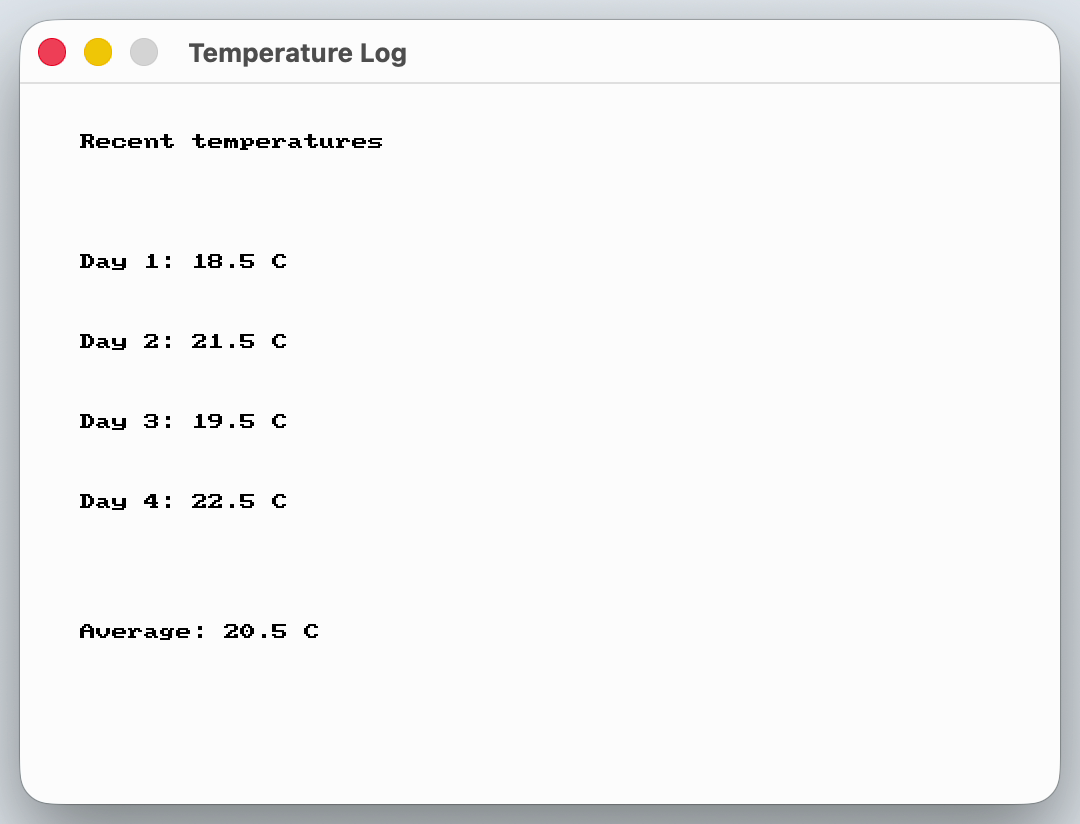
See Code Examples Example 1 : Temperature Log
// Build the Json from text, so the example needs no resource files
json weather = json_from_string ( " { \" temperatures \" : [18.5, 21.5, 19.5, 22.5]} " );
// The function fills a list that we create empty first
vector <double> temperatures;
json_read_array (weather, " temperatures " , temperatures);
// The readings never change, so add them up once instead of every frame
int temperature_count = temperatures . size ();
for ( int index = 0 ; index < temperature_count; index ++ )
total += temperatures [index];
double average = total / temperature_count;
open_window ( " Temperature Log " , 520 , 360 );
while ( ! quit_requested ())
clear_screen (COLOR_WHITE);
draw_text ( " Recent temperatures " , COLOR_BLACK, " arial " , 30 , 30 , 25 );
for ( int index = 0 ; index < temperature_count; index ++ )
draw_text ( " Day " + std:: to_string (index + 1 ) + " : " + to_string ( temperatures [index], 1 ) + " C " , COLOR_BLACK, " arial " , 24 , 30 , 85 + index * 40 );
draw_text ( " Average: " + to_string (average, 1 ) + " C " , COLOR_BLACK, " arial " , 26 , 30 , 270 );
using static SplashKitSDK . SplashKit;
// Build the Json from text, so the example needs no resource files
Json weather = JsonFromString ( " { \" temperatures \" : [18.5, 21.5, 19.5, 22.5]} " );
// The function fills a list that we create empty first
List< double > temperatures = new List< double >();
JsonReadArray (weather, " temperatures " , ref temperatures);
// The readings never change, so add them up once instead of every frame
int temperatureCount = temperatures . Count ;
for ( int index = 0 ; index < temperatureCount; index ++ )
total += temperatures [index];
double average = total / temperatureCount;
OpenWindow ( " Temperature Log " , 520 , 360 );
ClearScreen ( ColorWhite ());
DrawText ( " Recent temperatures " , ColorBlack (), " arial " , 30 , 30 , 25 );
for ( int index = 0 ; index < temperatureCount; index ++ )
DrawText ( $" Day { index + 1 }: { temperatures [ index ]} C " , ColorBlack (), " arial " , 24 , 30 , 85 + index * 40 );
DrawText ( $" Average: { average } C " , ColorBlack (), " arial " , 26 , 30 , 270 );
namespace JsonReadArrayOfDoubleExample
public static void Main ()
// Build the Json from text, so the example needs no resource files
Json weather = SplashKit . JsonFromString ( " { \" temperatures \" : [18.5, 21.5, 19.5, 22.5]} " );
// The function fills a list that we create empty first
List< double > temperatures = new List< double >();
SplashKit . JsonReadArray (weather, " temperatures " , ref temperatures);
// The readings never change, so add them up once instead of every frame
int temperatureCount = temperatures . Count ;
for ( int index = 0 ; index < temperatureCount; index ++ )
total += temperatures [index];
double average = total / temperatureCount;
SplashKit . OpenWindow ( " Temperature Log " , 520 , 360 );
while ( ! SplashKit . QuitRequested ())
SplashKit . ProcessEvents ();
SplashKit . ClearScreen ( Color . White );
SplashKit . DrawText ( " Recent temperatures " , Color . Black , " arial " , 30 , 30 , 25 );
for ( int index = 0 ; index < temperatureCount; index ++ )
SplashKit . DrawText ( $" Day { index + 1 }: { temperatures [ index ]} C " , Color . Black , " arial " , 24 , 30 , 85 + index * 40 );
SplashKit . DrawText ( $" Average: { average } C " , Color . Black , " arial " , 26 , 30 , 270 );
SplashKit . RefreshScreen ( 60 );
SplashKit . CloseAllWindows ();
# Build the Json from text, so the example needs no resource files
weather = json_from_string ( ' {"temperatures": [18.5, 21.5, 19.5, 22.5]} ' )
# The function fills a list that we create empty first
json_read_array_of_double ( weather , " temperatures " , temperatures )
# The readings never change, so add them up once instead of every frame
temperature_count = len ( temperatures )
for index in range ( temperature_count ):
total += temperatures[index]
average = total / temperature_count
open_window ( " Temperature Log " , 520 , 360 )
while not quit_requested ():
draw_text_font_as_string ( " Recent temperatures " , color_black () , " arial " , 30 , 30 , 25 )
for index in range ( temperature_count ):
draw_text_font_as_string ( f "Day {index + 1 } : {temperatures [ index ] } C" , color_black () , " arial " , 24 , 30 , 85 + index * 40 )
draw_text_font_as_string ( f "Average: {average} C" , color_black () , " arial " , 26 , 30 , 270 )
refresh_screen_with_target_fps ( 60 )
Output :
Reads an array of JsonJsonString key.
Parameters:
Name Type Description j JsonThe Json key StringThe String key used to find data in the Json out_result VectorThe array which will be filled with the data stored for String key.
Signatures:
void json_read_array (json j , string key , vector<json> & out_result )
public void Json . ReadArray ( string key, ref List < Json > outResult);
public static void SplashKit . JsonReadArray (Json j, string key, ref List < Json > outResult);
def json_read_array_of_json ( j , key , out_result ) :
procedure JsonReadArray (j: Json; key: String ; var outResult: ArrayOfJson)
Usage: {</>}
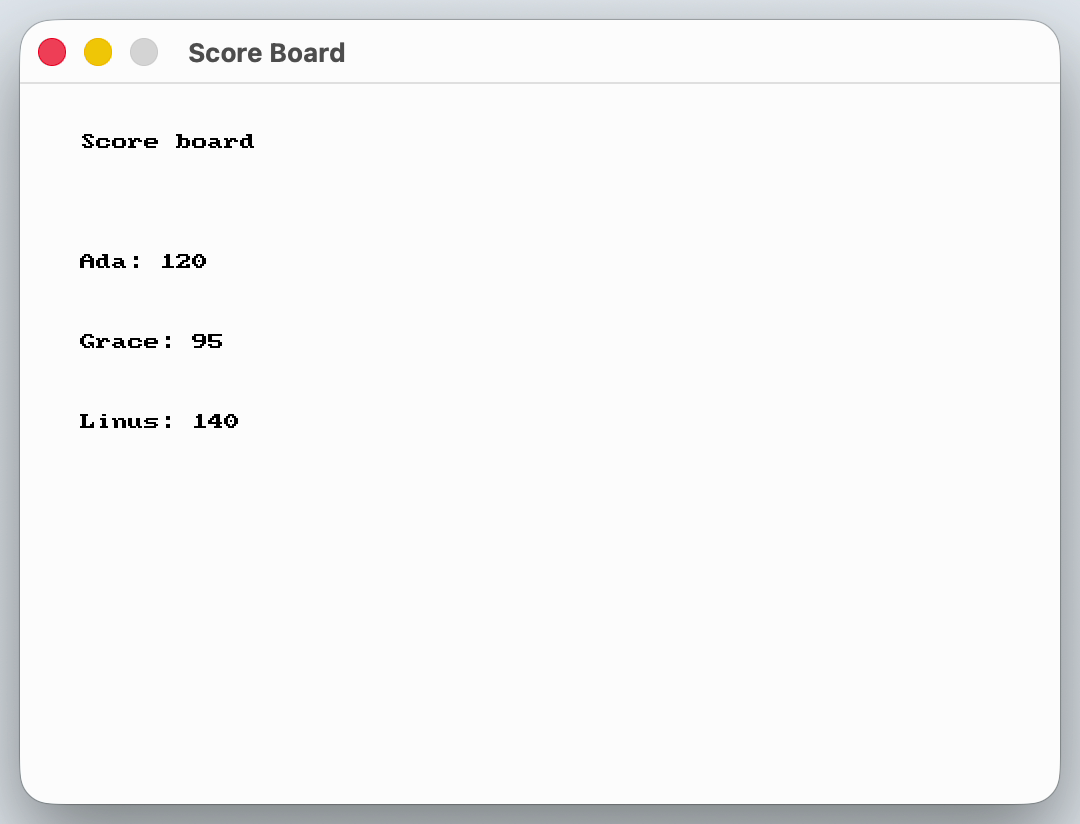
See Code Examples Example 1 : Score Board
// Build the Json from text, so the example needs no resource files
json scores = json_from_string ( " { \" players \" : [{ \" name \" : \" Ada \" , \" score \" : 120}, { \" name \" : \" Grace \" , \" score \" : 95}, { \" name \" : \" Linus \" , \" score \" : 140}]} " );
// Each entry in this list is a Json object of its own
json_read_array (scores, " players " , players);
int player_count = players . size ();
open_window ( " Score Board " , 520 , 360 );
while ( ! quit_requested ())
clear_screen (COLOR_WHITE);
draw_text ( " Score board " , COLOR_BLACK, " arial " , 30 , 30 , 25 );
for ( int index = 0 ; index < player_count; index ++ )
// Read the fields from each player like from any other Json object
string player_name = json_read_string ( players [index], " name " );
int player_score = json_read_number_as_int ( players [index], " score " );
draw_text (player_name + " : " + std:: to_string (player_score), COLOR_BLACK, " arial " , 24 , 30 , 85 + index * 40 );
// Frees the scores and the player objects that were read from it
using static SplashKitSDK . SplashKit;
// Build the Json from text, so the example needs no resource files
Json scores = JsonFromString ( " { \" players \" : [{ \" name \" : \" Ada \" , \" score \" : 120}, { \" name \" : \" Grace \" , \" score \" : 95}, { \" name \" : \" Linus \" , \" score \" : 140}]} " );
// Each entry in this list is a Json object of its own
List<Json> players = new List<Json>();
JsonReadArray (scores, " players " , ref players);
int playerCount = players . Count ;
OpenWindow ( " Score Board " , 520 , 360 );
ClearScreen ( ColorWhite ());
DrawText ( " Score board " , ColorBlack (), " arial " , 30 , 30 , 25 );
for ( int index = 0 ; index < playerCount; index ++ )
// Read the fields from each player like from any other Json object
string playerName = JsonReadString ( players [index], " name " );
int playerScore = JsonReadNumberAsInt ( players [index], " score " );
DrawText ( $" { playerName }: { playerScore } " , ColorBlack (), " arial " , 24 , 30 , 85 + index * 40 );
// Frees the scores and the player objects that were read from it
namespace JsonReadArrayOfJsonExample
public static void Main ()
// Build the Json from text, so the example needs no resource files
Json scores = SplashKit . JsonFromString ( " { \" players \" : [{ \" name \" : \" Ada \" , \" score \" : 120}, { \" name \" : \" Grace \" , \" score \" : 95}, { \" name \" : \" Linus \" , \" score \" : 140}]} " );
// Each entry in this list is a Json object of its own
List<Json> players = new List<Json>();
SplashKit . JsonReadArray (scores, " players " , ref players);
int playerCount = players . Count ;
SplashKit . OpenWindow ( " Score Board " , 520 , 360 );
while ( ! SplashKit . QuitRequested ())
SplashKit . ProcessEvents ();
SplashKit . ClearScreen ( Color . White );
SplashKit . DrawText ( " Score board " , Color . Black , " arial " , 30 , 30 , 25 );
for ( int index = 0 ; index < playerCount; index ++ )
// Read the fields from each player like from any other Json object
string playerName = players [index] . ReadString ( " name " );
int playerScore = players [index] . ReadInteger ( " score " );
SplashKit . DrawText ( $" { playerName }: { playerScore } " , Color . Black , " arial " , 24 , 30 , 85 + index * 40 );
SplashKit . RefreshScreen ( 60 );
// Frees the scores and the player objects that were read from it
SplashKit . CloseAllWindows ();
# Build the Json from text, so the example needs no resource files
scores = json_from_string ( ' {"players": [{"name": "Ada", "score": 120}, {"name": "Grace", "score": 95}, {"name": "Linus", "score": 140}]} ' )
# Each entry in this list is a Json object of its own
json_read_array_of_json ( scores , " players " , players )
player_count = len ( players )
open_window ( " Score Board " , 520 , 360 )
while not quit_requested ():
draw_text_font_as_string ( " Score board " , color_black () , " arial " , 30 , 30 , 25 )
for index in range ( player_count ):
# Read the fields from each player like from any other Json object
player_name = json_read_string ( players [ index ] , " name " )
player_score = json_read_number_as_int ( players [ index ] , " score " )
draw_text_font_as_string ( f " {player_name} : {player_score} " , color_black () , " arial " , 24 , 30 , 85 + index * 40 )
refresh_screen_with_target_fps ( 60 )
# Frees the scores and the player objects that were read from it
Output :
Reads an array of String values from the JsonString key.
Parameters:
Name Type Description j JsonThe Json key StringThe String key used to find data in the Json out_result VectorThe array which will be filled with the data stored for String key.
Signatures:
void json_read_array (json j , string key , vector<string> & out_result )
public void Json . ReadArray ( string key, ref List < string > outResult);
public static void SplashKit . JsonReadArray (Json j, string key, ref List < string > outResult);
def json_read_array_of_string ( j , key , out_result ) :
procedure JsonReadArray (j: Json; key: String ; var outResult: ArrayOfString)
Usage: {</>}
See Implementations
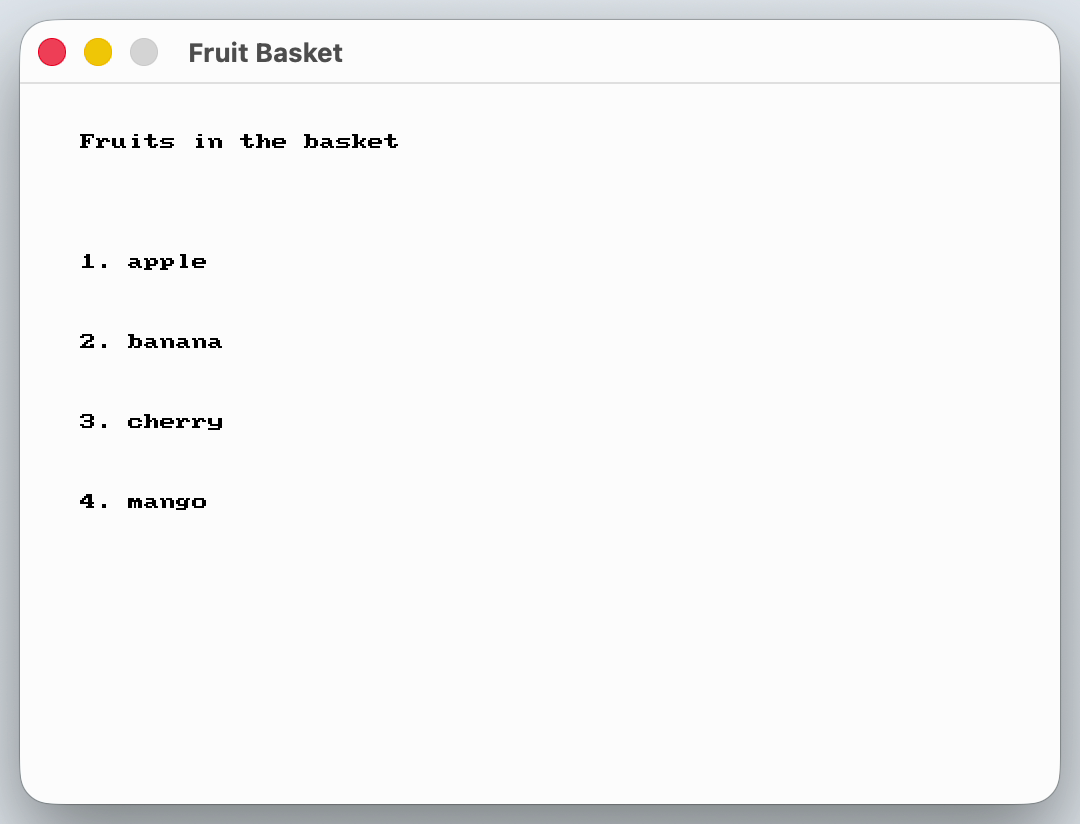
See Code Examples Example 1 : Fruit Basket
// Build the Json from text, so the example needs no resource files
json basket = json_from_string ( " { \" fruits \" : [ \" apple \" , \" banana \" , \" cherry \" , \" mango \" ]} " );
// The function fills a list that we create empty first
json_read_array (basket, " fruits " , fruits);
int fruit_count = fruits . size ();
open_window ( " Fruit Basket " , 520 , 360 );
while ( ! quit_requested ())
clear_screen (COLOR_WHITE);
draw_text ( " Fruits in the basket " , COLOR_BLACK, " arial " , 30 , 30 , 25 );
for ( int index = 0 ; index < fruit_count; index ++ )
draw_text (std:: to_string (index + 1 ) + " . " + fruits [index], COLOR_BLACK, " arial " , 24 , 30 , 85 + index * 40 );
using static SplashKitSDK . SplashKit;
// Build the Json from text, so the example needs no resource files
Json basket = JsonFromString ( " { \" fruits \" : [ \" apple \" , \" banana \" , \" cherry \" , \" mango \" ]} " );
// The function fills a list that we create empty first
List< string > fruits = new List< string >();
JsonReadArray (basket, " fruits " , ref fruits);
int fruitCount = fruits . Count ;
OpenWindow ( " Fruit Basket " , 520 , 360 );
ClearScreen ( ColorWhite ());
DrawText ( " Fruits in the basket " , ColorBlack (), " arial " , 30 , 30 , 25 );
for ( int index = 0 ; index < fruitCount; index ++ )
DrawText ( $" { index + 1 }. { fruits [ index ]} " , ColorBlack (), " arial " , 24 , 30 , 85 + index * 40 );
namespace JsonReadArrayOfStringExample
public static void Main ()
// Build the Json from text, so the example needs no resource files
Json basket = SplashKit . JsonFromString ( " { \" fruits \" : [ \" apple \" , \" banana \" , \" cherry \" , \" mango \" ]} " );
// The function fills a list that we create empty first
List< string > fruits = new List< string >();
SplashKit . JsonReadArray (basket, " fruits " , ref fruits);
int fruitCount = fruits . Count ;
SplashKit . OpenWindow ( " Fruit Basket " , 520 , 360 );
while ( ! SplashKit . QuitRequested ())
SplashKit . ProcessEvents ();
SplashKit . ClearScreen ( Color . White );
SplashKit . DrawText ( " Fruits in the basket " , Color . Black , " arial " , 30 , 30 , 25 );
for ( int index = 0 ; index < fruitCount; index ++ )
SplashKit . DrawText ( $" { index + 1 }. { fruits [ index ]} " , Color . Black , " arial " , 24 , 30 , 85 + index * 40 );
SplashKit . RefreshScreen ( 60 );
SplashKit . CloseAllWindows ();
# Build the Json from text, so the example needs no resource files
basket = json_from_string ( ' {"fruits": ["apple", "banana", "cherry", "mango"]} ' )
# The function fills a list that we create empty first
json_read_array_of_string ( basket , " fruits " , fruits )
fruit_count = len ( fruits )
open_window ( " Fruit Basket " , 520 , 360 )
while not quit_requested ():
draw_text_font_as_string ( " Fruits in the basket " , color_black () , " arial " , 30 , 30 , 25 )
for index in range ( fruit_count ):
draw_text_font_as_string ( f " {index + 1 } . {fruits [ index ] } " , color_black () , " arial " , 24 , 30 , 85 + index * 40 )
refresh_screen_with_target_fps ( 60 )
Output :
Reads an array of Boolean values from the JsonString key.
Parameters:
Name Type Description j JsonThe Json key StringThe String key used to find data in the Json out_result VectorThe array which will be filled with the data stored for String key.
Signatures:
void json_read_array (json j , string key , vector< bool > & out_result )
public void Json . ReadArray ( string key, ref List <bool> outResult);
public static void SplashKit . JsonReadArray (Json j, string key, ref List <bool> outResult);
def json_read_array_of_bool ( j , key , out_result ) :
procedure JsonReadArray (j: Json; key: String ; var outResult: ArrayOfBoolean)
Usage: {</>}
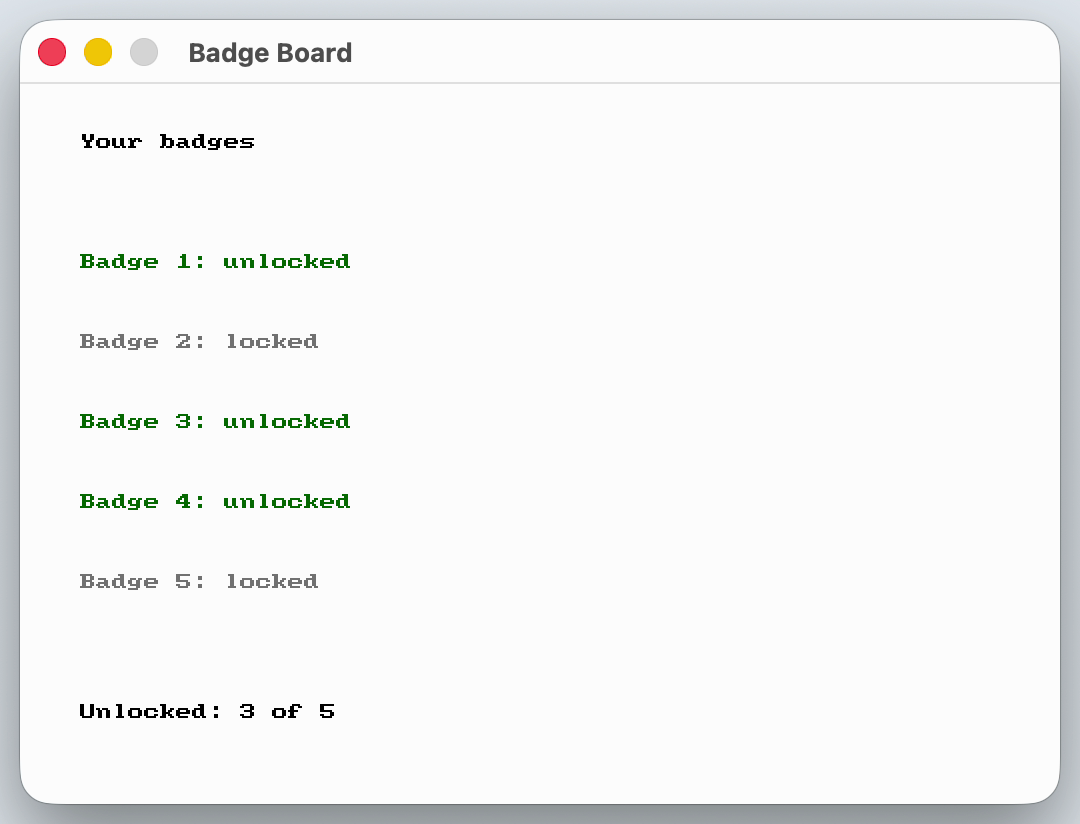
See Code Examples Example 1 : Badge Board
// Build the Json from text, so the example needs no resource files
json progress = json_from_string ( " { \" badges \" : [true, false, true, true, false]} " );
// The function fills a list that we create empty first
json_read_array (progress, " badges " , badges);
// Count the unlocked badges once, because the list never changes
int badge_count = badges . size ();
for ( int index = 0 ; index < badge_count; index ++ )
open_window ( " Badge Board " , 520 , 360 );
while ( ! quit_requested ())
clear_screen (COLOR_WHITE);
draw_text ( " Your badges " , COLOR_BLACK, " arial " , 30 , 30 , 25 );
for ( int index = 0 ; index < badge_count; index ++ )
draw_text ( " Badge " + std:: to_string (index + 1 ) + " : unlocked " , COLOR_DARK_GREEN, " arial " , 24 , 30 , 85 + index * 40 );
draw_text ( " Badge " + std:: to_string (index + 1 ) + " : locked " , COLOR_GRAY, " arial " , 24 , 30 , 85 + index * 40 );
draw_text ( " Unlocked: " + std:: to_string (unlocked_count) + " of " + std:: to_string (badge_count), COLOR_BLACK, " arial " , 26 , 30 , 310 );
using static SplashKitSDK . SplashKit;
// Build the Json from text, so the example needs no resource files
Json progress = JsonFromString ( " { \" badges \" : [true, false, true, true, false]} " );
// The function fills a list that we create empty first
List< bool > badges = new List< bool >();
JsonReadArray (progress, " badges " , ref badges);
// Count the unlocked badges once, because the list never changes
int badgeCount = badges . Count ;
for ( int index = 0 ; index < badgeCount; index ++ )
OpenWindow ( " Badge Board " , 520 , 360 );
ClearScreen ( ColorWhite ());
DrawText ( " Your badges " , ColorBlack (), " arial " , 30 , 30 , 25 );
for ( int index = 0 ; index < badgeCount; index ++ )
DrawText ( $" Badge { index + 1 }: unlocked " , ColorDarkGreen (), " arial " , 24 , 30 , 85 + index * 40 );
DrawText ( $" Badge { index + 1 }: locked " , ColorGray (), " arial " , 24 , 30 , 85 + index * 40 );
DrawText ( $" Unlocked: { unlockedCount } of { badgeCount } " , ColorBlack (), " arial " , 26 , 30 , 310 );
namespace JsonReadArrayOfBoolExample
public static void Main ()
// Build the Json from text, so the example needs no resource files
Json progress = SplashKit . JsonFromString ( " { \" badges \" : [true, false, true, true, false]} " );
// The function fills a list that we create empty first
List< bool > badges = new List< bool >();
SplashKit . JsonReadArray (progress, " badges " , ref badges);
// Count the unlocked badges once, because the list never changes
int badgeCount = badges . Count ;
for ( int index = 0 ; index < badgeCount; index ++ )
SplashKit . OpenWindow ( " Badge Board " , 520 , 360 );
while ( ! SplashKit . QuitRequested ())
SplashKit . ProcessEvents ();
SplashKit . ClearScreen ( Color . White );
SplashKit . DrawText ( " Your badges " , Color . Black , " arial " , 30 , 30 , 25 );
for ( int index = 0 ; index < badgeCount; index ++ )
SplashKit . DrawText ( $" Badge { index + 1 }: unlocked " , Color . DarkGreen , " arial " , 24 , 30 , 85 + index * 40 );
SplashKit . DrawText ( $" Badge { index + 1 }: locked " , Color . Gray , " arial " , 24 , 30 , 85 + index * 40 );
SplashKit . DrawText ( $" Unlocked: { unlockedCount } of { badgeCount } " , Color . Black , " arial " , 26 , 30 , 310 );
SplashKit . RefreshScreen ( 60 );
SplashKit . CloseAllWindows ();
# Build the Json from text, so the example needs no resource files
progress = json_from_string ( ' {"badges": [true, false, true, true, false]} ' )
# The function fills a list that we create empty first
json_read_array_of_bool ( progress , " badges " , badges )
# Count the unlocked badges once, because the list never changes
badge_count = len ( badges )
for index in range ( badge_count ):
open_window ( " Badge Board " , 520 , 360 )
while not quit_requested ():
draw_text_font_as_string ( " Your badges " , color_black () , " arial " , 30 , 30 , 25 )
for index in range ( badge_count ):
draw_text_font_as_string ( f "Badge {index + 1 } : unlocked" , color_dark_green () , " arial " , 24 , 30 , 85 + index * 40 )
draw_text_font_as_string ( f "Badge {index + 1 } : locked" , color_gray () , " arial " , 24 , 30 , 85 + index * 40 )
draw_text_font_as_string ( f "Unlocked: {unlocked_count} of {badge_count} " , color_black () , " arial " , 26 , 30 , 310 )
refresh_screen_with_target_fps ( 60 )
Output :
Reads a Boolean value from the JsonString key.
Parameters:
Name Type Description j JsonThe Json key StringThe String key used to find data in the Json
Return Type: Boolean
Returns: Returns the Boolean value stored at the String key.
Signatures:
bool json_read_bool (json j , string key )
public bool Json . ReadBool ( string key);
public static bool SplashKit . JsonReadBool (Json j, string key);
def json_read_bool ( j , key ) :
function JsonReadBool (j: Json; key: String ): Boolean
Reads a Float value from the JsonString key.
Parameters:
Name Type Description j JsonThe Json key StringThe String key used to find data in the Json
Return Type: Float
Returns: Returns the Float value stored at the String key.
Signatures:
float json_read_number (json j , string key )
public float Json . ReadNumber ( string key);
public static float SplashKit . JsonReadNumber (Json j, string key);
def json_read_number ( j , key ) :
function JsonReadNumber (j: Json; key: String ): Single
Usage: {</>}
See Implementations API Documentation Code Examples :
Reads a Double value from the JsonString key.
Parameters:
Name Type Description j JsonThe Json key StringThe String key used to find data in the Json
Return Type: Double
Returns: Returns the Double value stored at the String key.
Signatures:
double json_read_number_as_double (json j , string key )
public double Json . ReadDouble ( string key);
public static double SplashKit . JsonReadNumberAsDouble (Json j, string key);
def json_read_number_as_double ( j , key ) :
function JsonReadNumberAsDouble (j: Json; key: String ): Double
Reads a integer value from the JsonString key.
Parameters:
Name Type Description j JsonThe Json key StringThe String key used to find data in the Json
Return Type: Integer
Returns: Returns the integer value stored at the String key.
Signatures:
int json_read_number_as_int (json j , string key )
public int Json . ReadInteger ( string key);
public static int SplashKit . JsonReadNumberAsInt (Json j, string key);
def json_read_number_as_int ( j , key ) :
function JsonReadNumberAsInt (j: Json; key: String ): Integer
Usage: {</>}
See Implementations Tutorials and Guides :
API Documentation Code Examples :
Reads a JsonJsonString key.
Parameters:
Name Type Description j JsonThe Json key StringThe String key used to find data in the Json
Return Type: Json
Returns: Returns the JsonString key.
Signatures:
json json_read_object (json j , string key )
public Json Json . ReadObject ( string key);
public static Json SplashKit . JsonReadObject (Json j, string key);
def json_read_object ( j , key ) :
function JsonReadObject (j: Json; key: String ): Json
Usage: {</>}
See Implementations
Reads a String value from the JsonString key.
Parameters:
Name Type Description j JsonThe Json key StringThe String key used to find data in the Json
Return Type: String
Returns: Returns the String value stored at the String key.
Signatures:
string json_read_string (json j , string key )
public string Json . ReadString ( string key);
public static string SplashKit . JsonReadString (Json j, string key);
def json_read_string ( j , key ) :
function JsonReadString (j: Json; key: String ): String
Usage: {</>}
See Implementations Tutorials and Guides :
API Documentation Code Examples :
Adds an array of String values to the JsonString key.
Parameters:
Name Type Description j JsonThe Json key StringThe String key where data will be stored in the Json value VectorThe value to be inserted into the Json
Signatures:
void json_set_array (json j , string key , vector<string> value )
public void Json . AddArray ( string key, List < string > value );
public static void SplashKit . JsonSetArray (Json j, string key, List < string > value );
def json_set_array_of_string ( j , key , value ) :
procedure JsonSetArray (j: Json; key: String ; value: ArrayOfString)
Usage: {</>}
See Implementations
Adds an array of Double values to the JsonString key.
Parameters:
Name Type Description j JsonThe Json key StringThe String key where data will be stored in the Json value VectorThe value to be inserted into the Json
Signatures:
void json_set_array (json j , string key , vector< double > value )
public void Json . AddArray ( string key, List <double> value );
public static void SplashKit . JsonSetArray (Json j, string key, List <double> value );
def json_set_array_of_double ( j , key , value ) :
procedure JsonSetArray (j: Json; key: String ; value: ArrayOfDouble)
Adds an array of Boolean values to the JsonString key.
Parameters:
Name Type Description j JsonThe Json key StringThe String key where data will be stored in the Json value VectorThe value to be inserted into the Json
Signatures:
void json_set_array (json j , string key , vector< bool > value )
public void Json . AddArray ( string key, List <bool> value );
public static void SplashKit . JsonSetArray (Json j, string key, List <bool> value );
def json_set_array_of_bool ( j , key , value ) :
procedure JsonSetArray (j: Json; key: String ; value: ArrayOfBoolean)
Adds an array of JsonJsonString key.
Parameters:
Name Type Description j JsonThe Json key StringThe String key where data will be stored in the Json value VectorThe value to be inserted into the Json
Signatures:
void json_set_array (json j , string key , vector<json> value )
public void Json . AddArray ( string key, List < Json > value );
public static void SplashKit . JsonSetArray (Json j, string key, List < Json > value );
def json_set_array_of_json ( j , key , value ) :
procedure JsonSetArray (j: Json; key: String ; value: ArrayOfJson)
Adds a Boolean value to the JsonString key.
Parameters:
Name Type Description j JsonThe Json key StringThe String key where data will be stored in the Json value BooleanThe value to be inserted into the Json
Signatures:
void json_set_bool (json j , string key , bool value )
public void Json . AddBool ( string key, bool value );
public static void SplashKit . JsonSetBool (Json j, string key, bool value );
def json_set_bool ( j , key , value ) :
procedure JsonSetBool (j: Json; key: String ; value: Boolean )
Usage: {</>}
See Implementations
Adds an Integer value to the JsonString key.
Parameters:
Name Type Description j JsonThe Json key StringThe String key where data will be stored in the Json value IntegerThe value to be inserted into the Json
Signatures:
void json_set_number (json j , string key , int value )
public void Json . AddNumber ( string key, int value );
public static void SplashKit . JsonSetNumber (Json j, string key, int value );
def json_set_number_integer ( j , key , value ) :
procedure JsonSetNumber (j: Json; key: String ; value: Integer )
Usage: {</>}
See Implementations
Adds a Double value to the JsonString key.
Parameters:
Name Type Description j JsonThe Json key StringThe String key where data will be stored in the Json value DoubleThe value to be inserted into the Json
Signatures:
void json_set_number (json j , string key , double value )
public void Json . AddNumber ( string key, double value );
public static void SplashKit . JsonSetNumber (Json j, string key, double value );
def json_set_number_double ( j , key , value ) :
procedure JsonSetNumber (j: Json; key: String ; value: Double )
Adds a Float value to the JsonString key.
Parameters:
Name Type Description j JsonThe Json key StringThe String key where data will be stored in the Json value FloatThe value to be inserted into the Json
Signatures:
void json_set_number (json j , string key , float value )
public void Json . AddNumber ( string key, float value );
public static void SplashKit . JsonSetNumber (Json j, string key, float value );
def json_set_number_float ( j , key , value ) :
procedure JsonSetNumber (j: Json; key: String ; value: Single )
Adds a JsonJsonString key.
Parameters:
Name Type Description j JsonThe Json key StringThe String key where data will be stored in the Json obj JsonThe value to be inserted into the Json
Signatures:
void json_set_object (json j , string key , json obj )
public void Json . AddObject ( string key, Json obj);
public static void SplashKit . JsonSetObject (Json j, string key, Json obj);
def json_set_object ( j , key , obj ) :
procedure JsonSetObject (j: Json; key: String ; obj: Json)
Usage: {</>}
See Implementations
Adds a String value to the JsonString key.
Parameters:
Name Type Description j JsonThe Json key StringThe String key where data will be stored in the Json value StringThe value to be inserted into the Json
Signatures:
void json_set_string (json j , string key , string value )
public void Json . AddString ( string key, string value );
public static void SplashKit . JsonSetString (Json j, string key, string value );
def json_set_string ( j , key , value ) :
procedure JsonSetString (j: Json; key: String ; value: String )
Usage: {</>}
See Implementations Tutorials and Guides :
API Documentation Code Examples :
Converts a JsonColor
Parameters:
Return Type: Color
Returns: The ColorJson
Signatures:
color json_to_color (json j )
public static Color SplashKit . JsonToColor (Json j);
function JsonToColor (j: Json): Color
Writes the JsonResources/json/filename.
Parameters:
Name Type Description j JsonThe Json filename StringThe filename of the file to be stored in Resources/json/
Signatures:
void json_to_file (json j , const string & filename )
public static void Json . ToFile (Json j, string filename);
public static void SplashKit . JsonToFile (Json j, string filename);
def json_to_file ( j , filename ) :
procedure JsonToFile (j: Json; const filename: String )
Usage: {</>}
See Implementations
Converts and returns the JsonString.
Parameters:
Name Type Description j JsonThe JsonString.
Return Type: String
Returns: Returns the JsonString.
Signatures:
string json_to_string (json j )
public static string Json . ToJsonString (Json j);
public static string SplashKit . JsonToString (Json j);
function JsonToString (j: Json): String
The JsonJson
All Json
created with create_json() or create_json(string s) or
json_from_string(string s) or json_from_file(json j)
and must be released using free_json() (to release a specific Jsonfree_all_json() (to release all loaded Json